
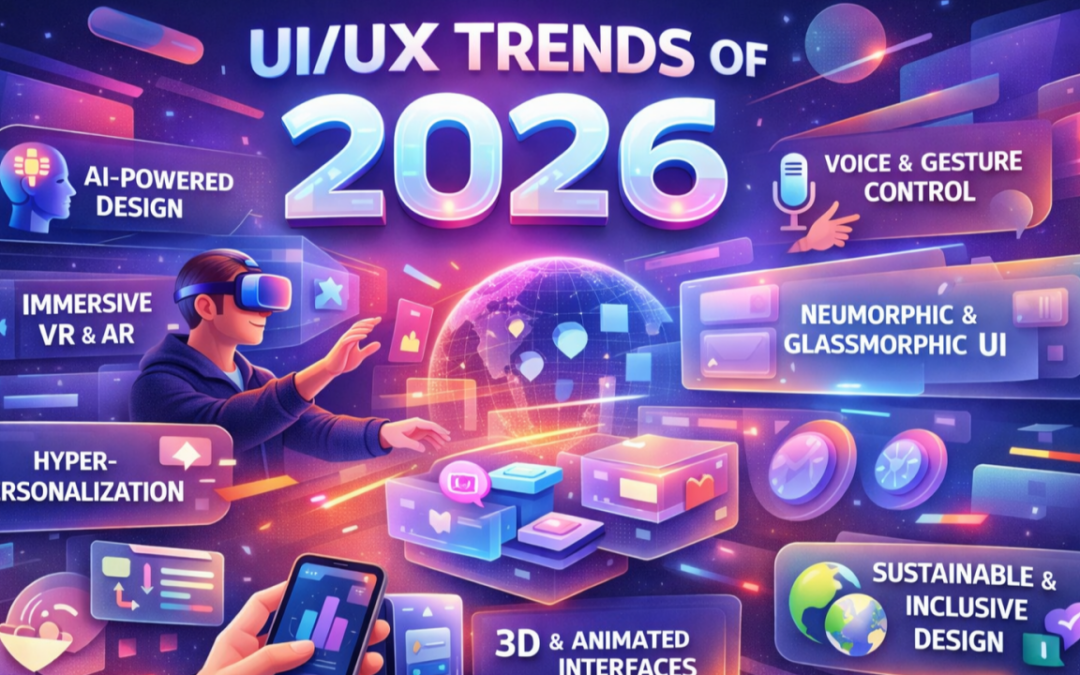
As technology continues to evolve at a crazy pace, user experience (UX) and user interface (UI) design are being redefined every time I seem to blink. Users now expect software to be fast, intuitive, personalized and of course consistent across every device they touch. In 2026, good design is no longer just about how something looks, it’s about how intelligently it adapts to the users needs.
The most important UI and UX trends of 2026 are based on combining advanced technologies and human hand-on design. In this article I will discuss the forces shaping the modern digital experiences and what they mean for designers building products today.
Global Technological Shifts Shaping UI and UX
Advances in computing power, display technology, and network infrastructure are changing how interfaces are designed and experienced. These improvements form the basis for richer, more responsive and more immersive digital products.
AI-Driven Interfaces and Personalization
Artificial intelligence is now deeply embedded in both the design process and the final product experience. Predictive systems anticipate the user, dynamically adjusting content, layout and functionality in real time.
Rather than designing static flows, designers are increasingly creating adaptive systems interfaces that learn, evolve and respond to individual behavior.
Edge Computing for Enhanced Interactivity
The rise of edge computing and data processing is enabling technology to move closer to the user. Reduced latency enables near instant feedback, creating an experience that feels responsive and alive.
Product designs that negate this rudimentary understanding will end up on the garbage heap faster than you can say waterfall.
This shift allows designers to create richer interactions without sacrificing performance, which is especially critical for real-time collaboration tools and data centric applications. The result of this process is to produce and handle complex product experiences that remain smooth, fast and trustworthy.

Enhanced Flat Design (Deep Flat)
Ever since the beginning of the browser wars of the early 2000’s flat design has dominated UI, but in 2026 it has evolved into something more sophisticated and refined. It’s also called “deep flat design”, this approach blends simplicity with subtle depth.
The main new enhancements that are being utilised in UI designs include, layered shadows, soft gradients and subtle highlights that suggest hierarchy and interactivity.
The goal is to help users instinctively understand what can be tapped, clicked, or dragged.
Motion as Functionality
Motion design has moved beyond visual fad and fashion. In 2026, animation plays a functional role in guiding users through complex interfaces. Starting with micro-interactions to state transitions, motion helps users understand cause and effect, reinforcing feedback and reducing confusion.
I often like to employ the use of button animations that confirm actions, transitions that explain navigation changes and animated progress indicators that communicate system status. Take a look at my website to see these motion design techniques and effects in action.
When used tastefully motion becomes a powerful usability tool.
Vibrant Colors and the Rebirth of Gradients
Advancements in display technology, including OLED and high-resolution screens, have made bold color palettes and gradients more effective than ever. Gradients are back and are being used not just for aesthetics, but to enhance and extenuate visual hierarchy, indicate system states and add depth without clutter.
Designing for Seamless Multi-Device Experiences
Users increasingly move between laptops, tablets, phones, and wearables throughout the day. In 2026, UX design prioritizes continuity, allowing users to pick up exactly where they left off.
Dark Mode, Refined
Dark mode remains a user favorite, but in 2026 it has matured into a more intentional design system. Designers are refining contrast ratios, color palettes, and typography to improve accessibility and reduce eye strain, particularly in low-light environments. Dark themes are no longer an afterthought—they are a first-class design consideration that must balance aesthetics with usability.
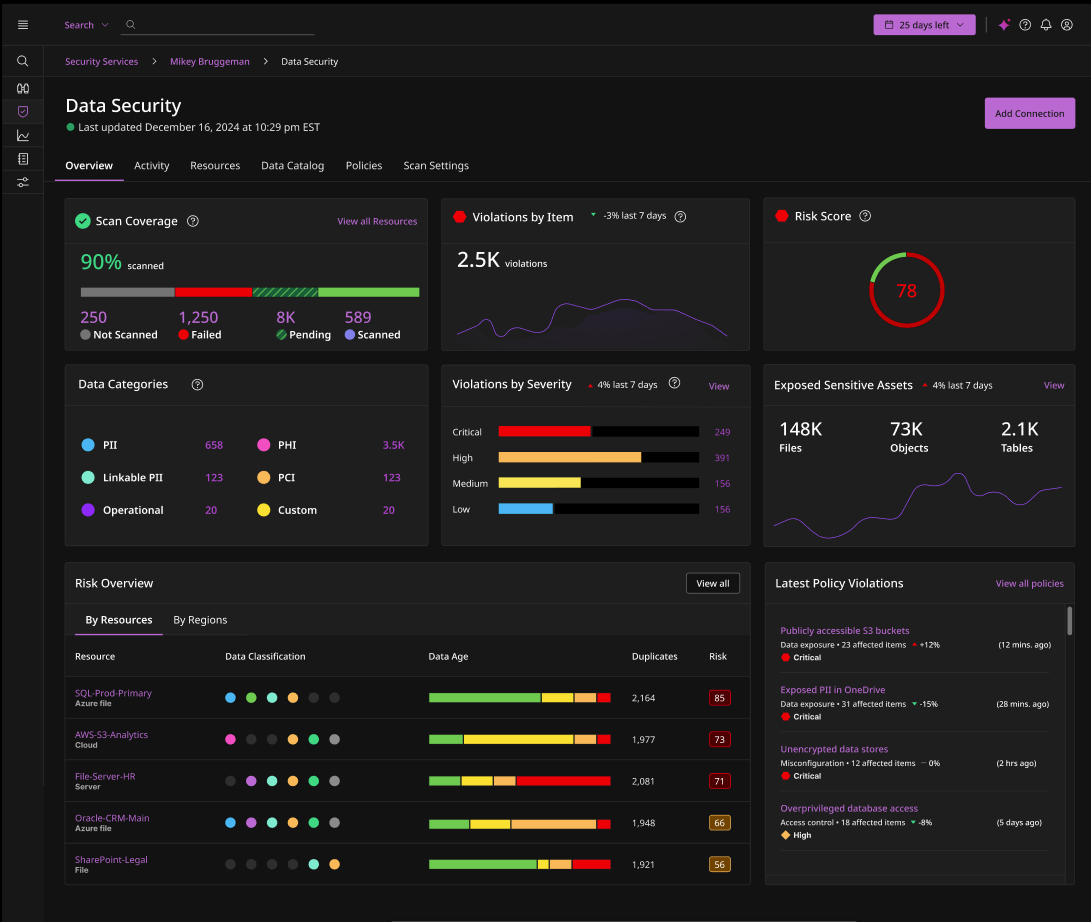
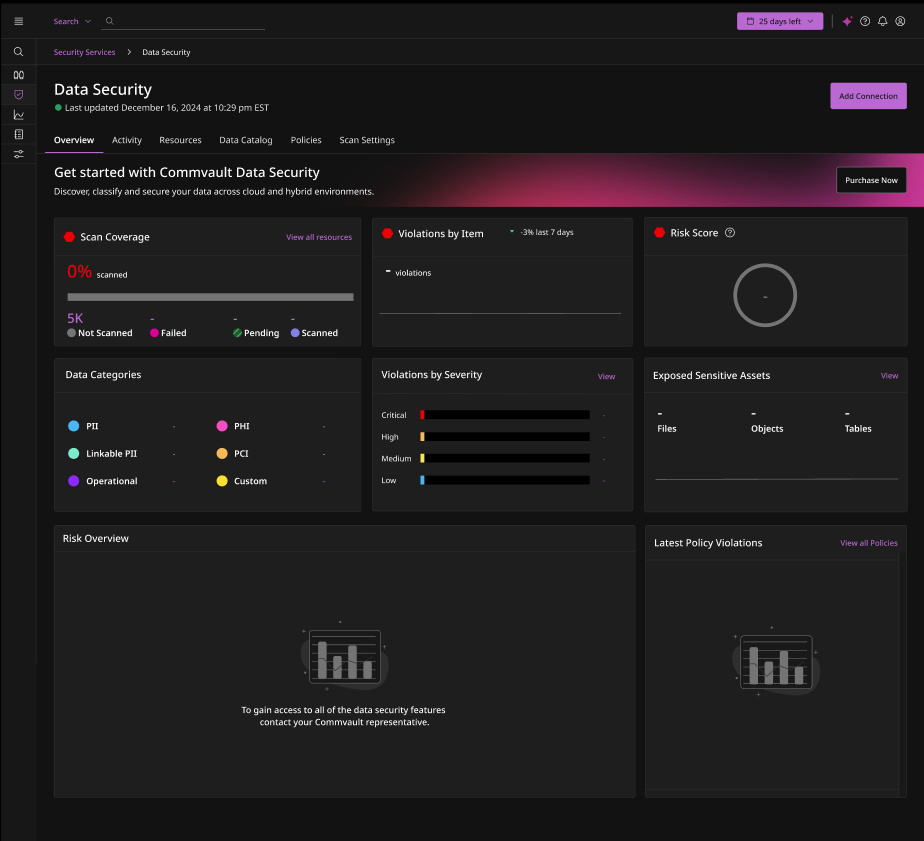
In the following example, I created a Data Security Dashboard for a product I’m working on that uses vibrant colors to draw the user’s eye to the primary KPI widgets on the overview screen. These color choices also help communicate the status of the data and visually separate it into clear classifications, reinforcing the level of urgency the user should associate with the information they’re viewing.
Device Agnostic Experiences
Modern users expect digital experiences to move seamlessly with them. Whether interacting via touch, keyboard, voice, or gesture, interfaces must remain coherent, intuitive, and consistent.
Seamless does not mean identical.
Interfaces should adapt to screen size, input method, and user context while maintaininig state and continuity.
Typography and Content as Part of UX
Variable fonts have become the standard in modern UI systems. A single font file can support multiple weights and styles across devices, improving performance while maintaining visual consistency. Key benefits include of using variable fonts include, improved load times, consistent branding and better responsiveness across screen sizes
UX Writing in Context
UX writing now plays a strategic role in product design. Designers and writers collaborate to ensure every word serves a purpose, from button labels to system feedback. Clear, concise copy reduces ambiguity, builds confidence, and improves usability especially during moments of stress and tension such as onboarding, errors, or system delays.
Performance as a Design Principle
In 2026, designing for Speed and Perceived Responsiveness is a must. Performance is not just a technical concern, it’s a core UX metric. Users expect products to feel instant, even when complex processes are happening behind the scenes.
Effective design strategies include, lightweight interfaces, optimized assets and feedback patterns such as skeleton loaders and optimistic UI.
I created the following empty state view to communicate that there is currently no data available to display, while still showcasing the relevant KPI widgets as a teaser. This approach is designed to entice users to upgrade their product license, effectively building an in-app upsell mechanism that supports product-led revenue growth.
The most important objective is not raw speed, but how responsive and reliable the experience feels to the user.
Looking Ahead
From refined visual systems and seamless multi-device continuity to performance driven interfaces, the focus is clear. Design experiences that respect users time, context, and attention.
The designers of the future who thrive will be those who think beyond screens, building systems that evolve and truly appreciate the people who use them as tools to do their jobs or complete tasks. The future of UX isn’t just more advanced. It’s more human.
Go to the Original Article
Related Articles
I have utilised various techniques to build my product solutions, such as product strategy, design techniques and agile methodologies described throughout a series of related articles.
If you wish to expand you knowledge on some of these topics use the following links to learn more about how to understand, plan and execute a product strategy for your company.
The Industrial Revolution & User Experience
The industrial revolutions have reshaped the fabric of human civilization, pushing the boundaries of innovation that have redefined every aspect of our lives. From the mechanization of the first industrial revolution to the digital age, each transformation has not...
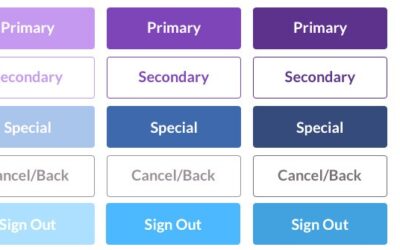
UI Component Types
The objective of each UI component is to facilitate a specific task, enhance the design efficiency and provide user satisfaction. The user interface elements also include the page and screen dimensions as the starting point which define the user interface real estate....
Pixel Accurate UX Designs
When designing a new product UI, I alway try to employ the K.I.S.S method, of "keep it simple stupid", it hasn't failed me yet. If on the other hand you have no choice but to create a new custom control then provide the developer with a "pixel accurate" screenshot...
Recent Comments